
Cisco Meraki is known for its cloud-managed benefits and wide range of network security products. This includes wireless access points for businesses of all sizes. Reliable to say the least, if you’re looking for wireless access points (APs), then you’ll have many models to choose from. When it comes to Cisco Meraki MR28 vs MR36, there are several important differences in their specs.
The MR28 is best for entry-level deployment and medium-density networks. In contrast, the MR36 is effective for high-performance environments and high-density deployments. At the end of the day, you have to reflect on your operation thoroughly to understand the true scope of your network security needs. This article offers a brief comparison between Cisco Meraki MR28 vs MR36 to help you narrow down your search.
Peace of Mind with Meraki Access Points
Meraki APs ensure consistent network performance through reliable cloud-managed connectivity. This includes support for all environments, from small offices to booming, large enterprise networks. Among the many other popular Cisco Meraki products, their WAPs are popular for a wide variety of reasons.
Regardless of how much space you’re working with, centralized dashboard management gives you the control you need. This could include making minor configurations to network monitoring and proactive maintenance. With benefits like automated updates, zero-touch provisioning, and multiple scalable models, Meraki APs are a stellar option. Since there are so many models available, it doesn’t hurt to look into the differences between Cisco Meraki MR28 vs MR36.
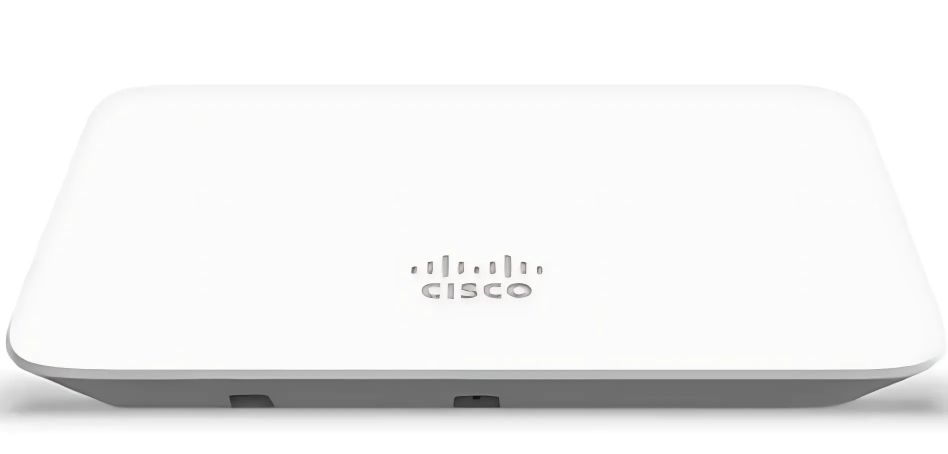
What is the Cisco Meraki MR28?
If you’re still a smaller, growing business, then the plug-and-play deployment style of the MR28 might be perfect. Keep in mind that deployment is handled via the Meraki cloud, making setup extremely easy. It delivers Wi-Fi 6 performance, as well as advanced RF optimization to automatically adjust certain settings.
Here are a few important comparable specs that make the MR28 a standout option for smaller organizations:
- 2×2:2 MU-MIMO 802.11ax
- 1.5 Gbps dual-radio aggregate frame rate
- Integrated enterprise security and guest access
- Application-aware traffic shaping
- Enhanced transmit power and receive sensitivity
Even if this sounds like more than enough, you’ll never truly know unless you make a proper comparison. It’s safe to assume the MR36 brings something different to the table, but reviewing these numbers is how you lead yourself to the right decision.
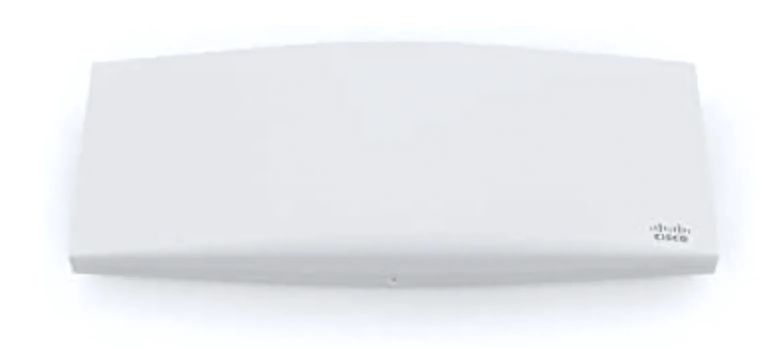
What is the Cisco Meraki MR36?
Aside from the hardware similarities, the MR36 is meant for slightly larger operations. Its focus on next-generation deployment is great for business sectors like hospitals, retail shops, hotels, schools, and offices.
Below are a few highlights that offer a brief comparison to the MR28:
- 2×2:2 MU-MIMO 802.11ax
- 1.5 Gbps dual-radio aggregate frame rate
- 24×7 real-time WIDS/WIPS and spectrum analytics
- Full-time Wi-Fi location tracking
- Integrated scanning radio
Keep in mind there are certain caveats about these specs and features. For example, 40 MHz channels are only supported in the 5 GHz band. The details aren’t the only things that matter for your decision-making. However, it’s the starting point for guiding your focus to the right Meraki wireless access point for your business.
Cisco Meraki MR28 vs MR36 Comparison
Technical specifications in network security tech can get pretty convoluted, especially if you’re trying to read through entire datasheets. While all of these details are important, it can help to summarize some of the most important details. The table below highlights some similarities as well as core differences you’ll want to consider.
| Specification | Cisco Meraki MR28 | Cisco Meraki MR36 |
|---|---|---|
| Radio Throughput | Up to 1.5 Gbps aggregate (286 Mbps @ 2.4 GHz and 1,201 Mbps @ 5 GHz) | Up to 1.5 Gbps aggregate (286 Mbps @ 2.4 GHz and 1,201 Mbps @ 5 GHz) |
| MIMO Support | 2x2:2 MU-MIMO 802.11ax | 2x2:2 MU-MIMO 802.11ax |
| Enterprise Security and Guest Access | Integrated | Integrated |
| Application-Aware Traffic Shaping | Yes | Yes |
| Dedicated Security Radio (WIDS/WIPS) | WIDS/WIPS with alerting and rogue AP detection (performed opportunistically) | 24x7 real-time WIDS/WIPS and spectrum analytics |
| Wi-Fi Location Tracking | No | Full-time Wi-Fi location tracking |
| Dedicated Third Radio | No | Yes |
Among their similarities, sometimes the smallest differences in specs will make the biggest impact on your decision. The short version is that the MR28 is best for smaller operations, while the MR36 is ready for larger businesses as a whole.
They’re both indoor wireless access points and share quite a few specifications. However, a big part of how the MR36 separates itself is with a dedicated third radio for real-time WIDS/WIPS and automated RF optimization. You’ll also find a fourth integrated radio for Bluetooth scanning and beaconing.
Final Thoughts
With any kind of hardware pertaining to network security and keeping your business connected, there’s a lot of tech to sort through. Although the MR28 is great for new, budding companies, it’s the MR36 that’s much more built for scalability.
For those keeping their mindset on the future, the MR36 gives you much more flexibility within your network and everyday use. If you’re still racking your brain about Cisco Meraki MR28 vs MR36, don’t forget to give us a shout for the guidance your business network needs.