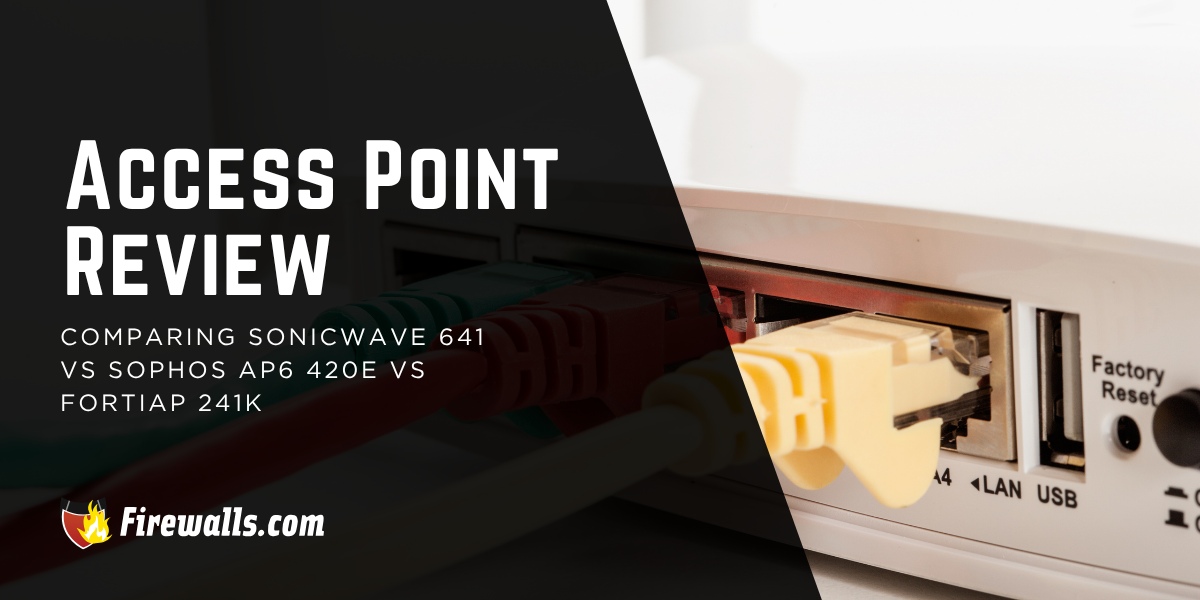
Between the SonicWave 641, Sophos AP6 420E, and FortiAP 241K in this access point review, I’m focusing on the core differences and target markets. While all three wireless access points (WAPs) come from established security vendors, making the right choice considers more than the supported Wi-Fi generation.
Ecosystem fit matters just as much as the hardware specs do, both of which can vary greatly from one WAP to the next. As far as wireless access point reviews go, this article focuses on three options from leaders in modern business networking.
Key Takeaways:
- All three APs represent a distinct Wi-Fi generation, from Wi-Fi 6/6E to Wi-Fi 7
- Ecosystem fit matters just as much as specs, with each AP optimized for its own vendor’s security and management platform
- Performance leadership goes to the FortiAP 241K, with a 10 GbE uplink, Wi-Fi 7, and 512 clients per radio
- Sharing a 2.5 GbE uplink and PoE+, the SonicWave 641 and AP6 420E sit on similar infrastructure footing
- The right choice comes down to your network environment, vendor ecosystem, and performance headroom needs
A Look Into Three Wireless Access Point Reviews
Reviewing these wireless access points on a hardware level, each of them differs quite a bit. I always tell business owners and IT leads that it’s the fine print that offers you the best comparison.
For example, the SonicWave 641 is a dual-band Wi-Fi 6 unit, whereas the FortiAP comes with Wi-Fi 7 and a four-radio design. To effectively navigate a helpful comparison, you’ll want to know what each of these WAPs is capable of on its own.

What is the SonicWall Wireless Access Point SonicWave 641?
Among all of the WAPs from SonicWall, the SonicWave 641 is considered a mid-tier indoor unit. Built for device-heavy environments, I’d say this model is a stellar choice if you’re already working within the SonicWall ecosystem.
Here’s a quick look at a few surface-level specs:
- Wi-Fi Gen: Wi-Fi 6 (802.11ax)
- Uplink Port: 1 x 2.5 GbE
- PoE Standard: PoE+ (802.3at)
- Max Power Draw: 23W
- Deployment: Indoor and ceiling-mountable
Moreover, the 641 includes a dual-band scanning radio, in addition to security measures like Capture ATP, content filtering, and more. I always look at this model as an option that delivers for a broad range of growing organizations with flexibility for long-term, adaptable support.
What is the Sophos Wireless Access Point AP6 420E?
The Sophos AP6 420E is a tri-radio Wi-Fi 6E indoor access point. You’re getting a dedicated single-band radio for each frequency across 2.4 GHz, 5 GHz, and 6 GHz.
For a bit more context on this model, check out the specs list below:
- Wi-Fi Gen: Wi-Fi 6/6E (802.11ax)
- Uplink Port: 1 x 2.5 GbE
- PoE Standard: PoE+ (802.3at)
- Max Power Draw: 24.25W
- Deployment: Indoor, desktop, wall, and ceiling mountable
On another note, any teams already working in the Sophos Fusion (previously known as Sophos Central) ecosystem are already on the right track here. Management stays consolidated, whether it’s this WAP, endpoints, firewalls, or threat intelligence data.
What is Fortinet’s FortiAP 241K?
When it comes to Fortinet wireless access points, the 241K has plenty to appreciate that helps it stand out. More specifically, this is an indoor Wi-Fi 7 AP, one that comes with a four-radio design and dedicated service radios for each band.
Here’s how this model stacks up at a glance:
- Wi-Fi Gen: Wi-Fi 7 (802.11be)
- Uplink Port: 1 x 10 GbE
- PoE Standard: PoE++ (802.3bt)
- Max Power Draw: 26.1W
- Deployment: Indoor, ceiling, T-Rail, wall-mountable
However, I’d like to note that this packs in a lot more than these details alone. The WAP supports up to 24 SSIDs on top of 512 clients per radio. Management is seamless here as well, as it runs through either FortiOS or FortiLAN Cloud.
All three of these WAPs are great in their own way, but that doesn’t mean they’re the right fit for every operation out there. In any review of high performance wireless access points, you want to put the fine print side by side.
Comparing High Performance Wireless Access Points
No matter which way you spin it, comparing the specs is how you narrow down your search. Wi-Fi generation is the clearest point of separation between these three WAPs, but there are other notable separators that are definitely going to drive your decision-making. Use the table below to get better aligned with the right hardware for your business network.
| Category | SonicWave 641 | Sophos AP6 420E | FortiAP 241K |
|---|---|---|---|
| Wi-Fi Generation | Wi-Fi 6 | Wi-Fi 6/6E | Wi-Fi 7 |
| Frequency Bands | 2.4 / 5 GHz | 2.4 / 5 / 6 GHz | 2.4 / 5 / 6 GHz |
| Uplink Port | 2.5 GbE | 2.5 GbE | 10 GbE |
| PoE Standard | PoE+ (802.3at) | PoE+ (802.3at) | PoE++ (802.3bt) |
| Max Power Draw | 23W | 24.25W | 26.1W |
| Antennas | 8 internal | Internal omnidirectional | 6 internal Wi-Fi |
| Scanning Radio | Dedicated dual-band | DFS | Dedicated tri-band |
| Management | SonicWall WNM | Sophos Fusion | FortiOS / FortiLAN Cloud |
Angles like Wi-Fi gen, uplink capacity, and PoE standard are where these WAPs diverge the most. This isn’t so uncommon with this type of security hardware, but it can be hard to sort through if you aren’t exactly sure where to look.
I’d like to note that the SonicWave 641 and 420E from Sophos are on similar ground in regard to overall infrastructure. You can see this in the shared 2.5 GbE uplink and PoE+ power delivery.
On the side of the FortiAP 241K, it steps up to a 10 GbE uplink and PoE++. Nevertheless, the differences matter, but all three are indoor APs designed for the needs of growing business environments.

My Final Thoughts
The right choice in this access point review comes down to where your network stands today and where it needs to go. With the SonicWave 641, you’re getting a proven Wi-Fi 6 fit that’s great for SonicWall environments.
Sophos brings in Wi-Fi 6E, and the FortiAP 241K leads on throughput, client density, and uplink capacity with Wi-Fi 7. If you’re looking for a little extra guidance here, our team at Firewalls.com can always help you narrow down your choice. Get in touch and let us get your network aligned with the right security hardware.
Frequently Asked Questions
What’s the Difference Between Wi-Fi 6, Wi-Fi 6E, and Wi-Fi 7 in a Wireless Access Point?
Wi-Fi 6 covers 2.4 and 5 GHz, and Wi-Fi 6E adds a dedicated 6 GHz radio for less congested connectivity. Wi-Fi 7 pushes throughput and efficiency further across all three bands.
Can the SonicWave 641 be Used Without a SonicWall Firewall?
Yes, it can run as a standalone cloud-managed AP through SonicWall’s Wireless Network Manager. Keep in mind that advanced security services are fully unlocked when paired with a SonicWall firewall.
Does the Sophos AP6 420E Require a Sophos Fusion Subscription to Function?
A valid AP6 support subscription is required to access the full Sophos Fusion feature set. However, local web interface management is available for single-unit deployments without one.
What Makes the FortiAP 241K a Strong Choice for High Density Deployments?
It supports up to 512 clients per radio and 24 SSIDs, with a dedicated scanning radio that monitors the RF environment. This is without competing with active client traffic.
Do Any of These Access Points Support IoT Device Management?
Both the SonicWave 641 and FortiAP 241K support IoT device management, with the 241K offering the broader IoT capability of the two.