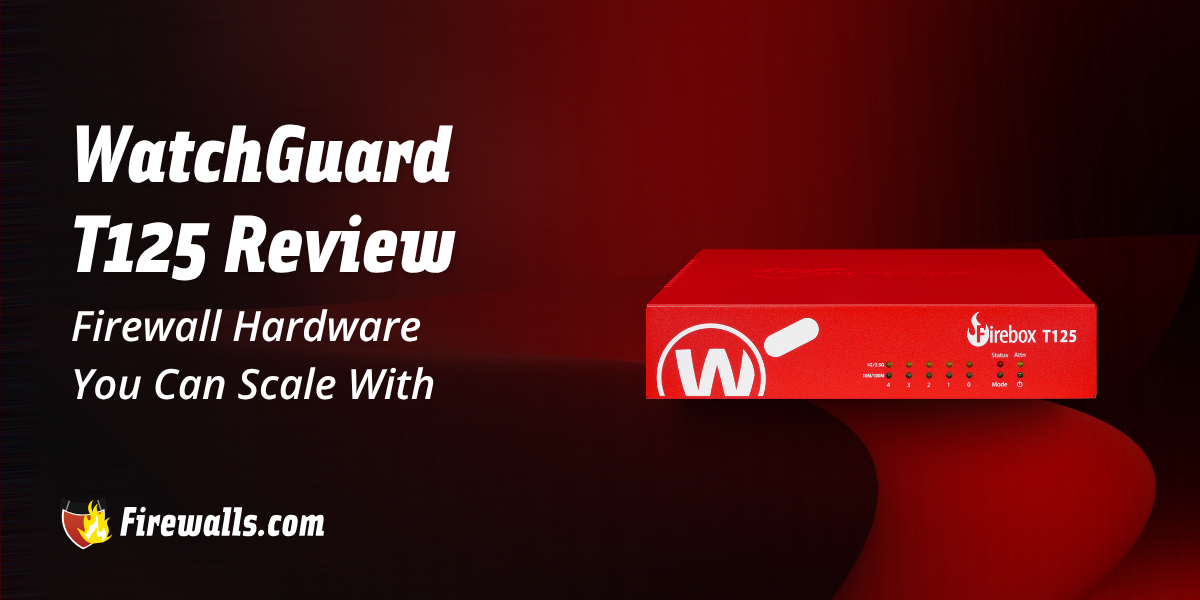
Exploring a compact desktop firewall that has quite a lot to offer, this WatchGuard T125 review makes sure you don’t miss out on the crucial details. For starters, this is a firewall that promises scalable security with the likes of 2.5 GbE connectivity, expandable port options, and more.
In addition to that, the T125 is known for its enterprise-grade security features coupled with a small form factor. This article covers multiple angles of this WatchGuard firewall, from throughput capability to connection capacity, cloud-based visibility tools, and more.
Key Takeaways:
- The WatchGuard T125 is a compact firewall built for small companies, branch offices, and remote work environments
- Delivers enterprise-grade security with IntelligentAV, IPS, and TLS decryption
- Scalable hardware includes 2.5 GbE networking and optional fiber expansion
- Supports hybrid work with site-to-site and remote access VPN capabilities
- Strong entry-level firewall that does well to balance performance, flexibility, and long-term value
WatchGuard Firebox T125 Overview and Key Features
Crafted for the likes of small companies, branch offices, and remote work environments, the T125 is a space and money saver at the same time. You’re also getting flexible options when it comes to configuration too. To get a jump-start understanding of the WatchGuard T125, the table below offers an under-the-hood look at the specs.
| Specification | WatchGuard T125 |
|---|---|
| Firewall Throughput | 2.28 Gbps |
| VPN Throughput | 1.44 Gbps |
| IPS Throughput | 725 Mbps |
| Antivirus Throughput | 880 Mbps |
| UTM Throughput | 510 Mbps |
| Concurrent Connections | 3,850,000 |
| New Connections per Second | 26,500 |
| VPN Tunnels | 10 x Branch Office VPN 10 x Mobile VPN |
| Interfaces | 1 x 2.5 GbE 4 x 1 GbE 1 x Serial 2 x USB-A 3.2 |
I also have to draw attention to the fiber connectivity support here. With the T125, you can easily adapt the firewall to your changing network requirements over time. On top of these surface-level specs, the integrated IntelligentAV tech gives you the advanced threat detection your business needs.

Security Features of the WatchGuard Firebox T125
With the promise of layered security, the T125 carries that same reliability that you’ll find in the entire WatchGuard firewalls lineup. A few highlights here include things like advanced traffic inspection, threat prevention, and app-level controls.
Moreover, the firewall also comes with stateful packet inspection, intrusion prevention, and antivirus protection. Essentially, your business network gets what it needs to detect and block threats before it wreaks havoc on your network. Tack on TLS decryption, flexible content filtering, and the rest of the security stack, and your network is always in good hands.
Advanced Threat Protection
The phrase advanced threat protection gets thrown around a lot in this industry, but it entails a lot more than it sounds. In the realm of firewall products, more specifically the T125, this means quite a bit, to be honest.
Here’s what advanced threat protection looks like with the T125:
- Tracks active network sessions to distinguish trusted and suspicious traffic
- Blocks known exploits and network-based attacks before they reach endpoints
- Provides built-in antivirus protection for malware detection
- Protects against DoS attacks
- Identifies malformed packets and blended threats targeting business networks
Overall, you shouldn’t have to worry much about evolving threats. If you ask me, the WatchGuard T125 offers much more than your standard entry level firewall.
TLS Decryption and Proxy Firewall
For those who aren’t already familiar, TLS decryption can work to inspect encrypted network traffic. Moreover, this improves visibility into HTTPS sessions that could potentially hide threats.
Below, you’ll find a few other core details you’ll want to know about:
- Proxy firewall functionality helps with deeper traffic inspection
- Applies app-layer security controls that go beyond basic packet filtering
- Comes with greater control over app-specific network traffic
- Improves threat detection through analyzing traffic at the application level
- Supports various email protocols like POP3S, SMTPS, and IMAPS
While TLS decryption isn’t necessarily rare among next-gen firewalls, it’s still crucial to understand. If you want true visibility across your network, TLS is a big part of the recipe, whether you’re a small or much larger organization.
Flexible Content Filtering and App Control
If you want safe web browsing for your entire workforce, then you’ll want to make use of content filtering. It’s also a helpful component to enforcing company-wide web access policies.
Here’s how content filtering and app control can benefit your operation:
- Restricts access to risky or inappropriate websites
- Provides app control across business networks
- Helps manage which apps can access your business network
- Reduces exposure to unsafe online content and services
- Supports productivity by limiting unnecessary internet usage
It’s pretty straightforward, and it’s a big help to companies that need to maintain security and compliance requirements. This isn’t just about preventing leisure time online, but maintaining operational security on a much, much deeper level.
Is the WatchGuard T125 a Good Entry Level Firewall for Your Business?
This WatchGuard T125 review doesn’t only focus on the datasheet, but helps you hone in on whether it’s a good idea for your specific situation. Navigating that space will be different from one company to the next, as network security demands will always come with nuances specific to your business.
The raw truth is that the T125 from WatchGuard is best used for small and growing business environments. It’s most definitely a strong entry level piece of hardware, one that can offer long-term support as you scale.
Between the enterprise-grade security features and flexible connectivity options, you can get the most out of this unit before it’s time for an upgrade. While the T125 won’t be a go-to option for every small business, I always suggest giving it a look. It never hurts to stack the specs against your network demands to see if it’s a proper fit.

Let’s Wrap Up
Regardless of its target market, I can’t argue with the fact that the T125 offers a strong balance between security and performance. That’s exactly what every modern business needs, along with the many other details this WatchGuard T125 review highlights.
While the firewall isn’t built for the needs of large-scale organizations, it’s still known for its enterprise-grade features. Learn more about the WatchGuard T125 and other vital network security tools your business needs by chatting with us one-on-one at Firewalls.com.
Frequently Asked Questions
What Type of Business is the WatchGuard T125 Designed For?
The WatchGuard T125 is designed primarily for small organizations, branch offices, and remote work environments.
Does the WatchGuard T125 Support Fiber and Future Network Expansion?
Yes, the T125 does support optional port expansion and fiber connectivity options. This is excellent support for scalability as your network requirements shift.
What Security Features are Included With the WatchGuard Firebox T125?
A few notable examples here include stateful packet inspection, intrusion prevention (IPS), antivirus, IntelligentAV, TLS decryption, proxy firewall capabilities, and more.
Can the WatchGuard T125 Support Remote Workers and Branch Offices?
You bet, as the firewall hardware supports both site-to-site and remote access VPNs. This makes it a more than viable option for hybrid work environments and distributed networks.
What Makes the WatchGuard T125 a Good Entry Level Firewall?
It combines scalable hardware, flexible connectivity, enterprise-grade security, and cloud-based management. This promises a solid foundation for young businesses without immense complexity involved.