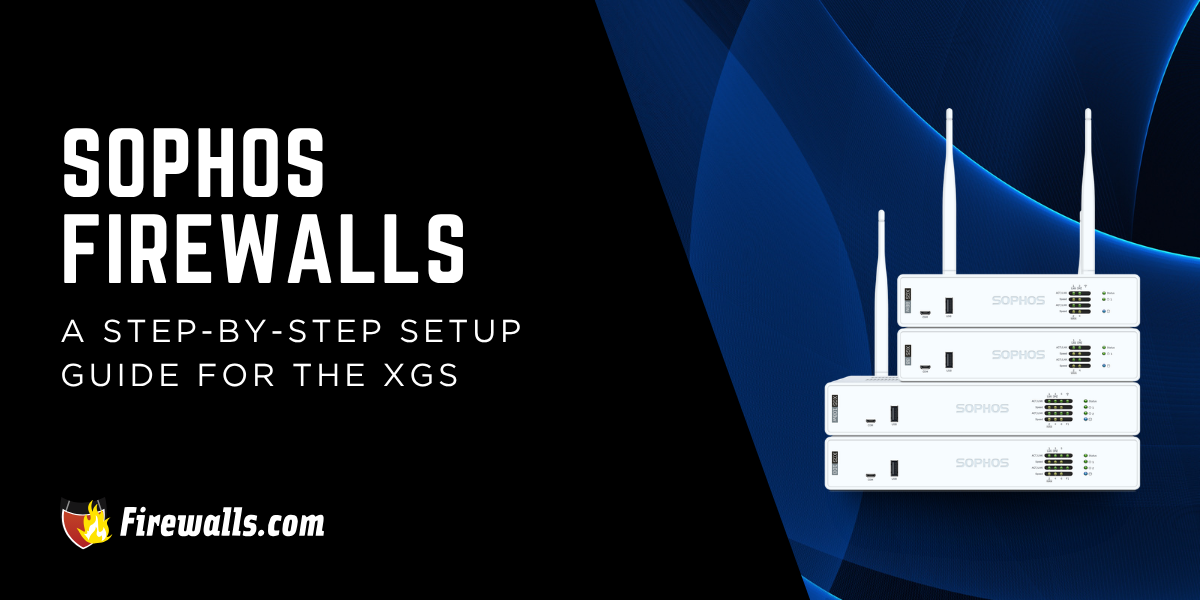
If you’re looking at Sophos firewalls for your network security stack, then it’s crucial to understand what comes with the setup process. The good news is that this process is consistent across all XGS models.
From initial configuration to establishing admin credentials, registration, integration and more, there’s a lot to think about here. This article offers a streamlined understanding of how to set up your Sophos XGS firewall to be configured, secured, and ready for use.
Key Takeaways:
- Sophos firewall setup follows a consistent, repeatable deployment process across all models
- Proper unboxing and hardware identification are crucial for a smooth initial configuration
- Registration within 30 days ensures correct licensing and organizational assignment
- Secure setup steps like master key creation and firmware updates are critical for protection
- Sophos Central enables centralized management, monitoring, and long-term firewall control
What to Expect From Unboxing a Sophos Firewall Appliance
Opening the box to a brand new Sophos XGS firewall has everything you need to get the ball rolling. Aside from the firewall hardware itself, you’ll find quite a few other important details that shouldn’t be overlooked.
- Power components such as the adapter and cables are included
- You’ll also find Ethernet cables for the sake of initial connectivity
- Documentation such as a quick start guide
- The device packaging will have labels with serial number information
- MAC address stickers are included for identification and tracking
Something I like to note as well: remember that serial and MAC details are required for registration in Sophos Central. Moreover, a standard physical inspection of the firewall is in order as well to examine its physical condition and contents.
“Whether you’re securing your home, a branch office, or the HQ of a massive enterprise MLS network, the Sophos XGS series is a powerhouse”
~ William Beeman: Network Engineer
Registration Requirements for Sophos XGS Firewalls
One angle many first-timers might not consider is that Sophos firewalls have to be registered within a 30-day window after purchase. For more context, registration guarantees your firewall is properly claimed and assigned to the correct organization.
In addition to that, a QR code or serial-based onboarding process is used for quick firewall registration. For those who end up delaying registration, this can trigger an auto-association and prematurely start the license period.
Setting Up Your Sophos Firewall
Your start with the setup process begins with identifying and mapping all physical ports before you start connecting any cables. To help you get from point A to B, follow the steps below for the physical setup of your XGS firewall.
- Identify and label WAN and LAN Ethernet ports on the firewall
- Connect the WAN port to your ISP modem or upstream internet connection
- The LAN port needs to be connected to a switch or directly to a workstation for initial setup
- Plug in the power cable (and secondary power if redundancy is available)
- Turn on the device using the power button or automatic power-on feature
I find it pretty important to note that some models support SFP/fiber ports, which deliver high-speed or enterprise network uplinks. Moreover, proper port identification helps you make sure that you land with a correct and stable network deployment.
1. Initial Access and Web Interface Setup
Once you have the physical hardware setup handled, I like to segue into the initial access and web interface portion of this. For Sophos firewalls, initial access is done through a local IP address via an HTTPS web interface.
A few other crucial details I want to note: a direct connection from a workstation to the firewall’s LAN port is required for setup. Additionally, you’ll need to set the device to DHCP so it can receive an IP automatically.
Your first login involves creating a secure admin password. Simple enough, but from there, the firmware should be updated immediately for the sake of security and stability. Overall, establishing a baseline configuration makes sure that you’re compliant with industry firewall security standards.
2. Secure Storage Key and System Protection Settings
Your Sophos XGS firewall generates a secure master key during setup for protecting backup files. Moreover, the master key is required to encrypt and decrypt all system backups. Without the key, backup recovery isn’t possible.
For those who don’t already know, encryption is vital for securing sensitive firewall configuration data. Aside from that, your device name and time zone settings are configured to support logging and system management. Another thing you don’t want to forget is that the system performs an internet connectivity check before it continues the setup process.
3. Registering a Sophos XGS Firewall in Sophos Central
Your first step here is to log in to the Sophos Central platform. Used for cloud-based management, endpoint security, and more, Sophos Central really does well to enhance your network security setup and management. Once you’re logged in, the firewall is claimed using its unique serial number.
For more context, the serial number links the physical firewall to your organization’s account. From there, OTP verification will be required so you can securely complete device linking.
I also make it a point to note that a trial or evaluation license can be applied here, so you get the full functionality available during setup. Even with step-by-step instructions, there are a few best practices experts have coined over the years that definitely apply here.
Best Practices for Sophos Firewall Deployment
Even with all of these helpful setup instructions, there are a few other angles to consider that might not seem so obvious on the surface. From proper registration windows to updates, master keys and more, there’s a lot to keep in mind throughout the entire process.
Lock in these best practices so you never miss a crucial step along the way:
- Timely registration ensures correct licensing and organizational alignment
- Keeping firmware updated is a must for security and system stability
- Master keys and admin credentials must be securely stored
- WAN and DNS connectivity should be verified before production deployment
- Following firewall security standards supports a stable, secure, and enterprise-ready deployment
Taking your time is key as well. Many of you are well aware of how technical network security hardware can get. Overlooking the details and fine print is how you not only end up with ineffective performance but setbacks in operations and potentially finances as well.
While it’s entirely fine to handle all of this in-house, there’s nothing wrong with leaning on a bit of outside help. Utilizing managed services means you won’t have to worry about setup, management, or handling hardware transitions. In short, it’s great for small, growing businesses and those who don’t have the dedicated team or expertise to make it all happen.

The Final Word
Setting up Sophos firewalls can seem daunting if you’ve never done it before, but it’s actually a lot more straightforward than it seems. This is especially true if you follow the information in this article, and the more visual explanation in our video below.
However, remember that skipping key setup stages can quickly lead to issues with network visibility, security, or even system recovery. If you want reliable firewall solutions and support with the setup process, get in touch with us at Firewalls.com for decades of hands-on expertise.
Frequently Asked Questions
How Long Do I Have to Register a Sophos Firewall After Purchase?
You typically have 30 days to register the device to ensure proper licensing and ownership assignment.
What Do I Need From the Box to Start Setup?
You’ll need the firewall unit, power components, Ethernet cables, and the serial/MAC address labels for registration.
How Do I Access the Firewall for the First Time?
Connect a workstation to the LAN port, use DHCP, and log in through the firewall’s local HTTPS management IP.
Why is the Master Key Important During Setup?
It encrypts backups and is required for restoring configurations, so it must be stored securely and can’t be recovered if it’s lost.
Do I Need Sophos Central to Complete Setup?
It isn’t a strict requirement, but it is helpful for the sake of centralized management, monitoring, endpoint security, and much more.